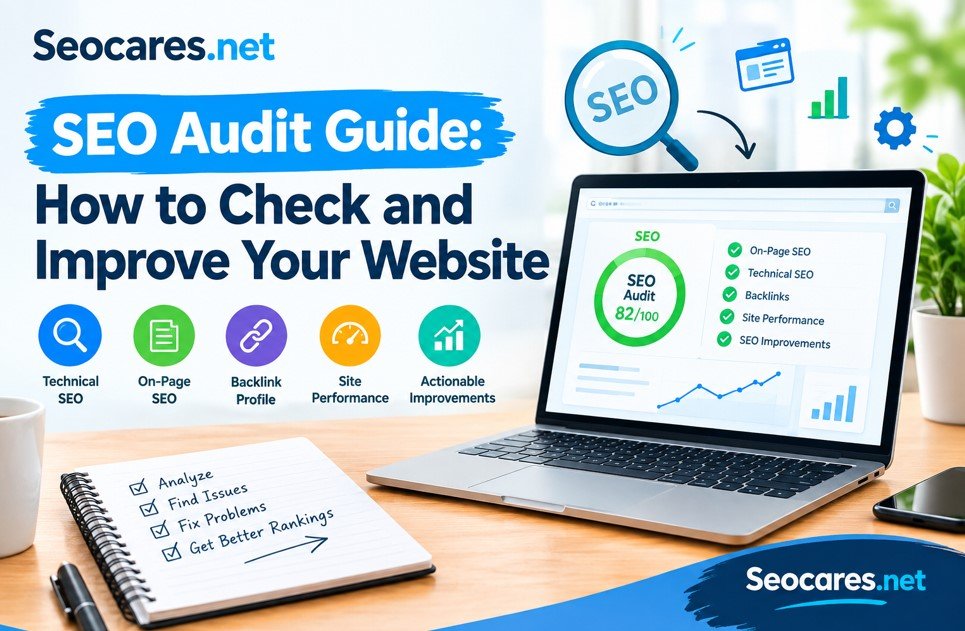
Your website might look fine. The design is clean, the pages load, and everything seems to work.
But Google might see something different.
An SEO audit is how you find out what’s really going on behind the scenes. It’s a full check-up of your website — covering technical issues, content quality, backlinks, and user experience. Think of it like a health checkup, but for your site’s search performance.
Many site owners guess why their traffic dropped. They blame Google updates or bad luck. Most of the time, the real answer is sitting in their own website: broken links, slow pages, thin content, or missing metadata.
This guide walks you through exactly how to run an SEO audit in 2026, what tools to use, and how to fix what you find. No fluff. No jargon you don’t need. Just a clear process you can follow today.
What Is an SEO Audit?
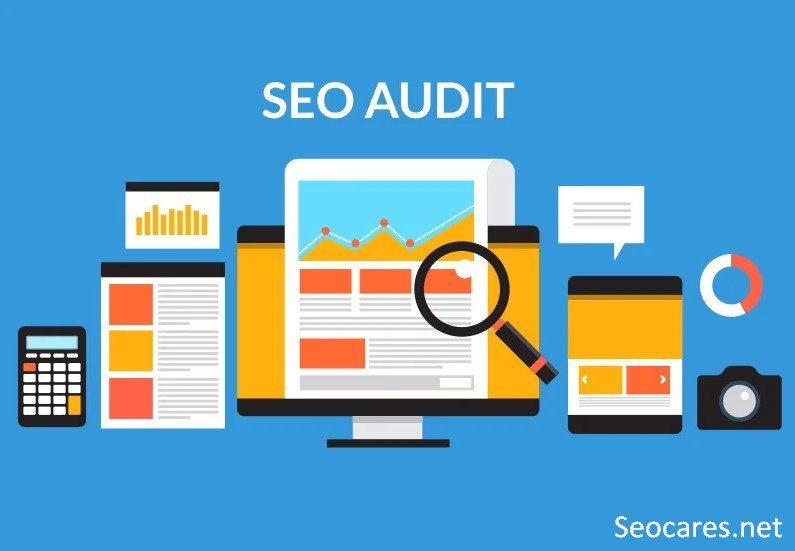
An SEO audit is a detailed review of your website’s performance in search engines. It examines everything that affects how Google crawls, indexes, and ranks your pages.
A proper audit looks at three core areas:
- Technical SEO — site speed, crawlability, mobile-friendliness, and structure
- On-page SEO — content quality, keywords, titles, and internal links
- Off-page SEO — backlinks, brand mentions, and domain authority
The goal isn’t just to find problems. It’s to build a clear action plan that improves rankings and traffic over time.
Most audits produce a report with prioritized fixes — starting with issues that hurt rankings the most.
Why Your Website Needs Regular Audits

Search engines change constantly. Google rolls out algorithm updates several times a year, and some completely reshape how sites are ranked.
Websites also change. You add pages, remove old ones, update plugins, or switch hosting providers. Each change can create new SEO problems without you noticing.
Here’s why audits matter:
- They catch issues early, before they cause major traffic drops
- They reveal missed opportunities, like keywords you already rank for but aren’t optimizing
- They keep your site aligned with EEAT standards (Experience, Expertise, Authoritativeness, Trustworthiness)
- They improve user experience, which directly affects rankings today
A site that hasn’t been audited in over a year is almost guaranteed to have fixable problems costing it traffic right now.
Types of SEO Audits
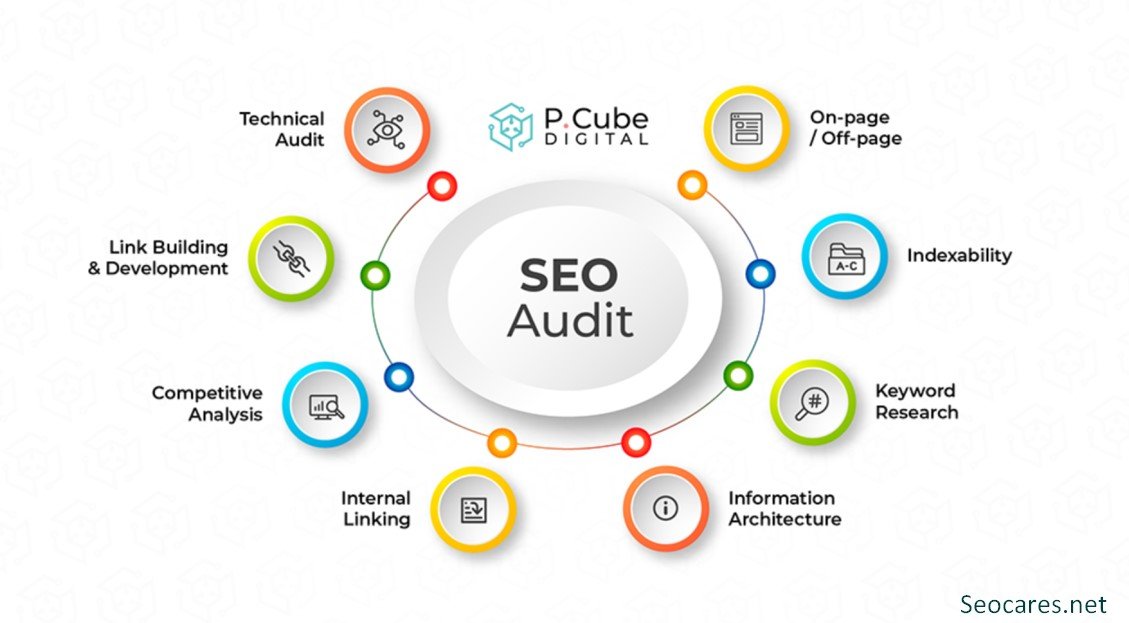
Not every audit needs to cover everything. Depending on your goal, you might focus on one specific area.
Technical SEO Audit
Checks how well search engines can crawl and index your site. This includes site speed, mobile usability, broken links, XML sitemaps, and structured data.
Content Audit
Reviews existing content for quality, relevance, and performance. It identifies outdated pages, thin content, and duplicate topics that compete against each other.
Backlink Audit
Analyzes your link profile. This helps you spot toxic or spammy backlinks that could be hurting your domain, and find opportunities to build stronger links.
Local SEO Audit
For businesses with a physical location, this checks Google Business Profile accuracy, local citations, and location-based keyword rankings.
Competitor Audit
Compares your site’s performance against competitors ranking for the same keywords. This shows gaps you can exploit.
Most full audits combine technical, content, and backlink reviews, since these three areas influence each other directly.
Step-by-Step SEO Audit Checklist
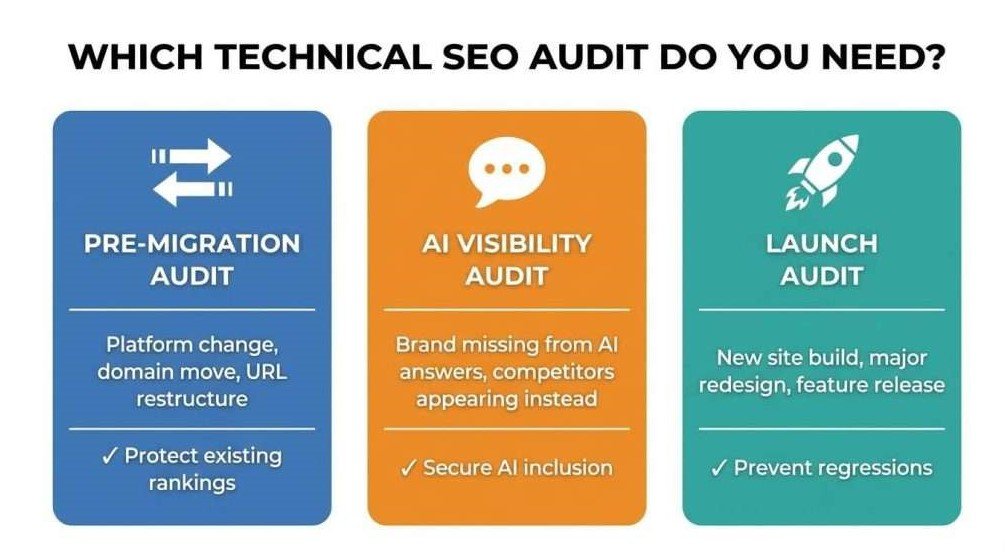
Here’s a practical walkthrough you can follow, in order.
Step 1: Check Site Crawlability and Indexing
Before anything else, confirm Google can actually access your pages.
- Review your robots.txt file for accidental blocks
- Check Google Search Console for indexing errors
- Confirm your XML sitemap is submitted and updated
- Search site:yourdomain.com on Google to see what’s indexed
If important pages aren’t indexed, nothing else in your audit matters until this is fixed.
Step 2: Test Site Speed and Core Web Vitals
Page speed directly affects both rankings and user behavior. Slow pages lose visitors before they even load.
- Run your site through Google PageSpeed Insights
- Check Largest Contentful Paint (LCP), Interaction to Next Paint (INP), and Cumulative Layout Shift (CLS)
- Compress large images and enable browser caching
- Consider a content delivery network (CDN) for faster global loading
Step 3: Confirm Mobile-Friendliness
Google uses mobile-first indexing, meaning it primarily evaluates the mobile version of your site.
- Test your site on Google’s Mobile-Friendly Test
- Check that text is readable without zooming
- Confirm buttons and links are easy to tap
- Review how forms and menus behave on smaller screens
Step 4: Audit On-Page SEO Elements
Go through your top pages and check the fundamentals.
- Title tags — unique, under 60 characters, include target keyword
- Meta descriptions — compelling, under 160 characters
- Header tags (H1, H2, H3) — logically structured, one H1 per page
- Image alt text — descriptive, includes relevant keywords naturally
- Internal linking — connects related pages and passes link equity
Step 5: Review Content Quality
This is where EEAT and Helpful Content principles matter most.
- Does the content answer the searcher’s actual question?
- Is it written by someone with real experience or expertise?
- Are claims backed by credible sources or original data?
- Is anything outdated, inaccurate, or thin?
Pages under 300 words rarely rank well unless the search intent genuinely requires a short answer.
Step 6: Check for Duplicate Content
Duplicate or near-duplicate pages confuse search engines about which version to rank.
- Use tools like Siteliner or Screaming Frog to detect duplicates
- Add canonical tags where needed
- Merge or redirect thin, overlapping pages
Step 7: Analyze Backlink Profile
Backlinks remain one of the strongest ranking signals.
- Review your backlink list in Ahrefs, Semrush, or Google Search Console
- Identify spammy or low-quality links
- Disavow toxic backlinks if they’re actively harming rankings
- Look for gaps where competitors have links you don’t
Step 8: Fix Broken Links and Redirect Chains
Broken links waste crawl budget and frustrate users.
- Scan for 404 errors using Screaming Frog or Ahrefs
- Fix or redirect broken internal links
- Clean up unnecessary redirect chains (A to B to C should become A to C)
Step 9: Check Structured Data
Schema markup helps search engines understand your content better and can unlock rich results.
- Validate existing schema with Google’s Rich Results Test
- Add relevant schema types (Article, FAQ, Product, Local Business, etc.)
- Fix any markup errors flagged in Search Console
Step 10: Review Security and HTTPS
Security issues can tank both rankings and user trust instantly.
- Confirm your site uses HTTPS everywhere, not just the homepage
- Check for mixed content warnings
- Scan for malware or suspicious code injections
Best Tools for an SEO Audit
| Tool | Best For | Free Option |
| Google Search Console | Indexing, errors, performance | Yes |
| Google PageSpeed Insights | Speed and Core Web Vitals | Yes |
| Screaming Frog | Site crawling, broken links | Yes (limited) |
| Ahrefs | Backlinks, keyword gaps | No |
| Semrush | Full site audits, competitor analysis | Limited free trial |
| Google Rich Results Test | Structured data validation | Yes |
Combining a free tool like Search Console with a paid crawler like Screaming Frog or Semrush usually covers 90% of what a full audit needs.
Free vs Paid SEO Audit Tools
Free Tools
Free tools work well for smaller sites or quick checks. Google’s own tools (Search Console, PageSpeed Insights) give accurate, first-party data straight from the source.
Paid Tools
Paid platforms like Ahrefs and Semrush offer deeper insights — competitor comparisons, historical data, and automated audit reports that update regularly. For larger sites or agencies managing multiple clients, the time saved usually justifies the cost.
A good rule: start free, upgrade once your site grows past a few dozen pages or you’re managing SEO for clients.
Common SEO Issues an Audit Reveals
Most audits uncover a similar pattern of problems, regardless of the site:
- Missing or duplicate title tags across multiple pages
- Slow-loading images that haven’t been compressed
- Orphan pages with no internal links pointing to them
- Thin content that doesn’t fully answer search intent
- Broken outbound links to sources that no longer exist
- Missing alt text on images, hurting both SEO and accessibility
- Unoptimized URLs with unnecessary parameters or characters
- No clear content hierarchy, confusing both users and crawlers
Finding these issues is only half the work. Fixing them in priority order — starting with what affects the most pages — creates the fastest results.
Pros and Cons of DIY vs Professional Audits
DIY SEO Audit
Pros:
- No cost beyond your time
- Full control over the process
- Builds long-term SEO knowledge
Cons:
- Time-consuming, especially for larger sites
- Easy to miss technical issues without experience
- No outside perspective on blind spots
Professional SEO Audit

Pros:
- Deeper technical analysis from experienced auditors
- Faster turnaround with prioritized action plans
- Access to premium tools and industry benchmarks
Cons:
- Costs money, sometimes several hundred dollars or more
- Quality varies widely between providers
- Requires vetting the auditor’s actual expertise
For solo site owners or small businesses, a DIY audit using this checklist is often enough. Larger or highly competitive sites benefit more from professional audits.
How Often Should You Audit Your Site?
There’s no single answer that fits every website, but general guidelines help:
- Small blogs or portfolios: every 6 months
- Business or e-commerce sites: every 3 months
- High-traffic or news sites: monthly, with continuous monitoring
You should also run an audit after major events: a Google algorithm update, a site redesign, a migration to new hosting, or a sudden traffic drop.
Regular monitoring through Google Search Console between full audits catches smaller issues before they become bigger problems.
Frequently Asked Questions
1. What is an SEO audit?
An SEO audit is a comprehensive review of your website’s technical setup, content quality, and backlink profile to identify issues affecting search rankings.
2. How long does an SEO audit take?
For a small site, a basic audit can take a few hours. Larger sites with hundreds of pages may take several days to review thoroughly.
3. How much does a professional SEO audit cost?
Prices vary widely, typically ranging from $300 to $5,000 or more, depending on site size and the auditor’s experience.
4. Can I do an SEO audit myself?
Yes. Free tools like Google Search Console, PageSpeed Insights, and Screaming Frog make it possible to run a solid audit without hiring anyone.
5. What’s the difference between a technical audit and a content audit?
A technical audit focuses on crawlability, speed, and site structure. A content audit evaluates the quality, relevance, and performance of your written pages.
6. Will an SEO audit guarantee higher rankings?
No audit guarantees rankings. It identifies and prioritizes issues, but improvement depends on how effectively you implement the fixes.
7. What tools do professionals use for SEO audits?
Common tools include Screaming Frog, Ahrefs, Semrush, Google Search Console, and Google PageSpeed Insights.
8. How often should a small business audit its website?
Every three to six months is a reasonable schedule, with more frequent checks after major site changes.
9. What is the most common SEO issue found in audits?
Broken links, missing meta tags, and slow page speed are among the most frequently found issues across websites of all sizes.
10. Does site speed really affect SEO rankings?
Yes. Google uses Core Web Vitals as a ranking factor, and slow sites also see higher bounce rates, which indirectly hurts rankings further.
Conclusion
An SEO audit isn’t a one-time task you check off and forget. It’s an ongoing process that keeps your website aligned with how search engines actually work.
Start with the basics: crawlability, speed, and mobile-friendliness. Then move into content quality and backlinks. Fix what impacts the most pages first, and track your progress with Google Search Console.
Whether you handle it yourself or bring in a professional, the goal stays the same — find what’s holding your site back, fix it, and build a stronger foundation for long-term growth.
Your next ranking improvement might already be sitting in your own website, waiting to be found.