Your business could be the best one in town, and still stay invisible online.
That’s the problem with local search today. Customers don’t ask friends for recommendations anymore — they type “best plumber near me” into Google and pick from whoever shows up first. If your business isn’t in that first group, you’re losing customers to competitors who simply understood their local SEO better.
The good news? Local SEO isn’t reserved for big brands with big budgets. A flower shop in Ohio, a dentist in Texas, or a bakery in Oregon can all outrank national chains in their own neighborhood — if they follow the right strategy.
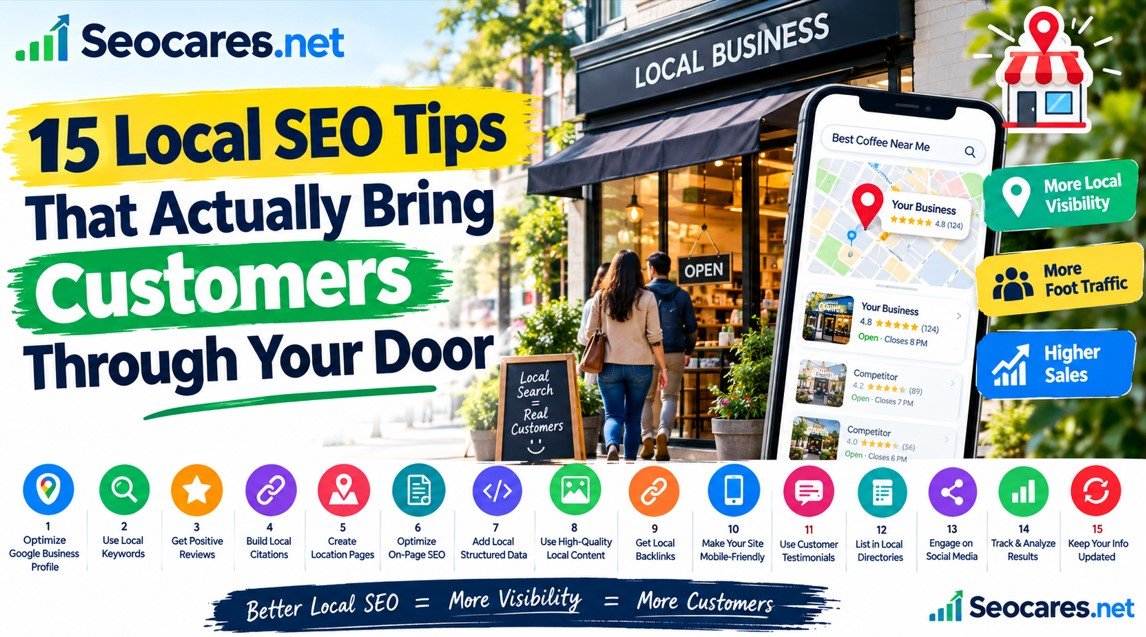
This guide breaks down 15 practical, proven local SEO tips you can start using today. No fluff, no outdated tricks — just what actually works in 2026.
1. What Is Local SEO and Why It Matters
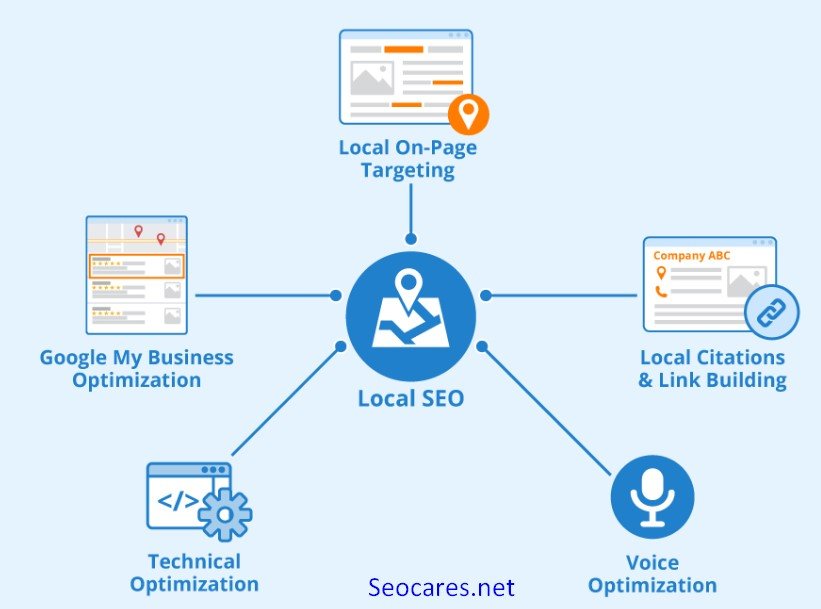
Local SEO is the practice of optimizing your online presence so your business appears when people search for products or services near them.
Think of searches like “coffee shop near me” or “emergency electrician in Austin.” Google shows a map pack (three business listings with a map) above the regular search results for these queries. Ranking in that map pack is often more valuable than ranking #1 in traditional search, because it’s the first thing people see and click.
Local SEO matters because:
- 46% of all Google searches have local intent, according to Google’s own data.
- Nearly 76% of people who search for something nearby visit a business within a day.
- Mobile searches for “near me” have grown dramatically over the past few years.
If your business serves a specific city, neighborhood, or region, local SEO isn’t optional. It’s how modern customers find you.
2. Claim and Optimize Your Google Business Profile
Your Google Business Profile (GBP), formerly Google My Business, is the single most important local SEO asset you have. It’s free, and it directly powers your map pack listing.
Here’s how to optimize it properly:
- Claim and verify your listing if you haven’t already.
- Choose the most accurate business category — this affects which searches you show up for.
- Fill in every field: hours, phone number, website, service area, and business description.
- Upload high-quality photos regularly — interior, exterior, team, and products.
- Add your products or services directly to the profile.
- Post updates weekly using the Google Posts feature to stay active.
Profiles that are complete and regularly updated consistently outperform incomplete ones, even when both have similar reviews.
3. Get Your NAP Consistency Right
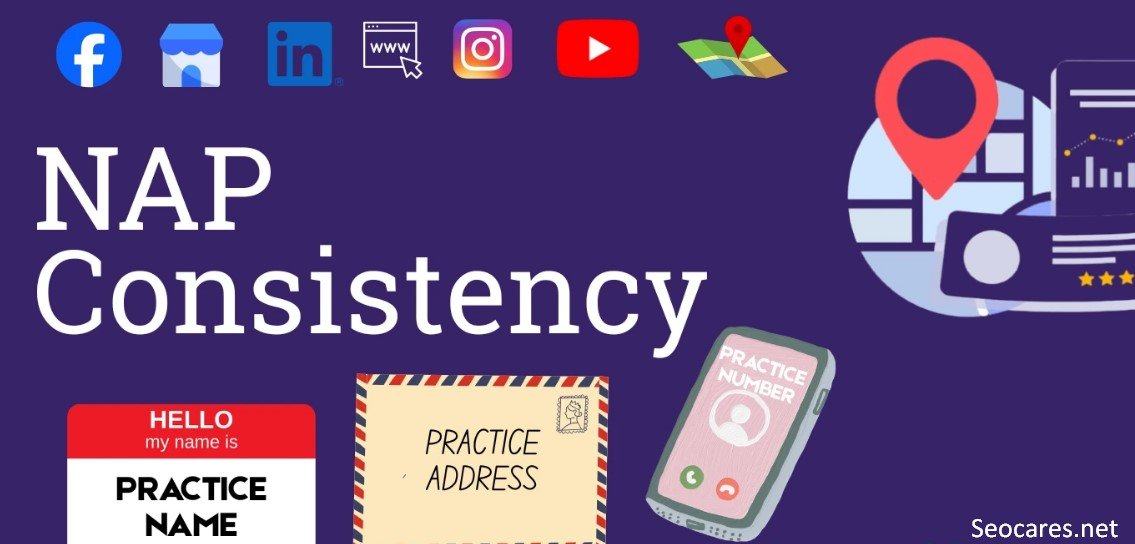
NAP stands for Name, Address, and Phone number. Google cross-checks this information across the web to verify your business is legitimate and trustworthy.
If your NAP is inconsistent — say, your address is listed differently on Yelp than on your website — it creates confusion that can hurt your rankings.
Quick fix checklist:
- Use the exact same business name everywhere (avoid “Inc.”, “LLC” in one place and not another).
- Format your address identically across all platforms.
- Use one primary phone number, and stick with it.
- Audit your listings on Google, Bing, Yelp, Facebook, and industry directories.
A messy NAP profile is one of the most common — and easiest to fix — reasons small businesses underperform locally.
4. Target Location-Specific Keywords
Generic keywords like “roofing services” are competitive and vague. Location-specific keywords tell Google exactly who you serve and where.
Examples of strong local keyword patterns:
- “roofing services in [city]”
- “[service] near [neighborhood]”
- “best [business type] in [city], [state]”
Use tools like Google Keyword Planner, Ubersuggest, or even Google’s autocomplete suggestions to find real search phrases people use in your area.
Placement matters. Add these keywords naturally to your:
- Homepage title and meta description
- Service page headings
- Image alt text
- URL slugs
Avoid keyword stuffing. Write for the customer first, then make sure the keyword fits naturally into that sentence.
5. Build Local Citations
A citation is any online mention of your business name, address, and phone number — even without a link. Directories like Yelp, Bing Places, Apple Maps, and industry-specific sites (like Avvo for lawyers or Healthgrades for doctors) all count.
Citations act like votes of confidence. The more consistent, high-quality citations you have, the more Google trusts that your business is real and active.
Priority citation sources:
| Citation Type | Examples |
| General directories | Yelp, Bing Places, Apple Maps, Foursquare |
| Industry-specific | Avvo (legal), Healthgrades (medical), Houzz (home services) |
| Local chambers | City chamber of commerce, local business associations |
| Data aggregators | Data Axle, Foursquare, Neustar Localeze |
Start with the top 15–20 citation sources relevant to your industry before expanding further.
6. Earn and Manage Customer Reviews
Reviews influence both rankings and conversions. Google factors review quantity, quality, and recency into local rankings, and customers trust businesses with strong review profiles more than those without.
How to get more reviews ethically:
- Ask happy customers directly, right after a positive interaction.
- Send a follow-up email or text with a direct review link.
- Make the process as short as possible — friction kills response rates.
- Never buy fake reviews. Google actively detects and penalizes this.
How to handle negative reviews:
- Respond calmly and professionally within 24–48 hours.
- Acknowledge the issue without being defensive.
- Offer to resolve the problem offline when appropriate.
A steady stream of fresh, genuine reviews signals to Google that your business is active and trustworthy — which directly supports better rankings.
7. Create Location Pages for Multiple Service Areas
If your business serves more than one city or region, a single generic page won’t rank well for all of them. Instead, create dedicated location pages.
Each page should include:
- A unique title and meta description mentioning that specific city
- Original content — never copy-paste the same page and swap city names
- Local landmarks, neighborhoods, or zip codes relevant to that area
- Testimonials from customers in that location, if available
- An embedded Google Map for that service area
This approach helps Google understand exactly which searches each page should rank for, instead of forcing one page to compete for dozens of unrelated locations.
8. Optimize Your Website for Mobile Users
Most local searches happen on phones, often while someone is out and about looking for a nearby solution right now. If your site loads slowly or looks broken on mobile, you lose that customer instantly.
Mobile optimization checklist:
- Use a responsive design that adjusts to any screen size.
- Keep load time under 3 seconds — test with Google PageSpeed Insights.
- Make your phone number clickable so users can call with one tap.
- Ensure buttons and forms are easy to tap without zooming.
- Simplify navigation menus for smaller screens.
Google uses mobile-first indexing, meaning it primarily evaluates the mobile version of your site when determining rankings. A poor mobile experience directly hurts your visibility.
9. Build Local Backlinks
Backlinks from other websites still matter for local SEO, but relevance beats quantity. A single link from a respected local news site or community organization can be worth more than dozens of generic ones.
Effective local link-building strategies:
- Sponsor a local event, sports team, or charity (many list sponsors with a link).
- Get featured in local news through press releases or expert commentary.
- Partner with complementary local businesses for cross-promotion.
- Join your local chamber of commerce, which often links to members.
- Offer to write a guest post for a local blog or industry publication.
Focus on building genuine relationships in your community. The links tend to follow naturally.
10. Use Local Schema Markup
Schema markup is code added to your website that helps search engines understand your content more precisely. For local businesses, LocalBusiness schema tells Google your exact name, address, hours, phone number, and services in a structured format.
Benefits of adding schema:
- Improves your chances of appearing in rich snippets
- Helps Google display accurate business info directly in search results
- Supports better local ranking signals alongside your GBP data
Most WordPress users can add this through a plugin like Rank Math or Yoast SEO, both of which include LocalBusiness schema templates without requiring code.
11. Publish Locally Relevant Content
Blog content isn’t just for national brands. Writing about topics tied to your community builds relevance and demonstrates real local expertise — a key part of Google’s EEAT framework (Experience, Expertise, Authoritativeness, Trustworthiness).
Local content ideas:
- “Best [service] tips for [city] homeowners”
- Seasonal guides relevant to your local climate or events
- Case studies featuring local customers or projects
- Guides to local events, regulations, or neighborhood-specific concerns
This type of content naturally attracts local backlinks, social shares, and — most importantly — the exact customers you’re trying to reach.
12. Leverage Social Media for Local Visibility
Social platforms won’t directly boost your Google rankings, but they strengthen your overall local presence and drive traffic that supports your SEO efforts indirectly.
- Tag your location in every post on Instagram and Facebook.
- Join and engage in local community groups.
- Share customer stories, behind-the-scenes content, and local partnerships.
- Use location-based hashtags relevant to your city or neighborhood.
Active social profiles also reinforce trust signals when potential customers research your business before visiting.
13. Track and Improve Local SEO Performance
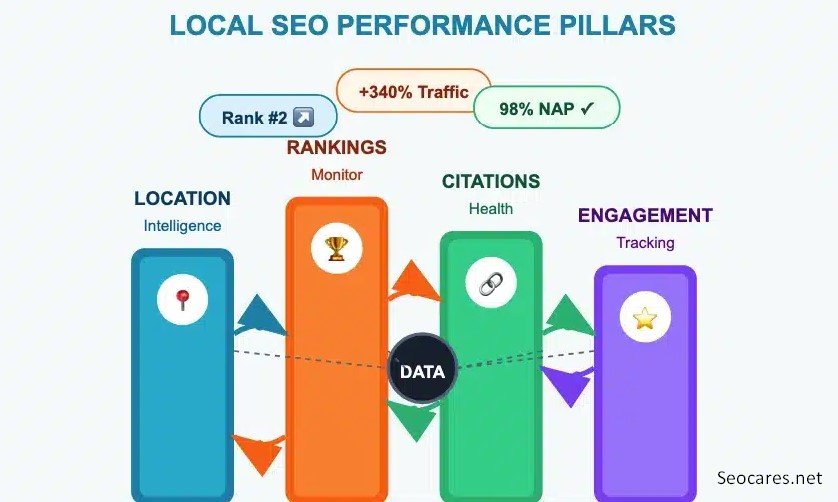
Local SEO isn’t a one-time task — it requires ongoing measurement and adjustment.
Key metrics to track:
- Google Business Profile views, clicks, and calls (available in GBP Insights)
- Local keyword rankings (tools like BrightLocal or Semrush)
- Website traffic from local search (Google Analytics, filtered by location)
- Number and quality of new reviews over time
Review this data monthly. If a location page or keyword is underperforming, adjust the content, add more citations, or request additional reviews from customers in that area.
14. Pros and Cons of Focusing on Local SEO
| Pros | Cons |
| Free organic traffic long-term | Takes weeks to months to see results |
| Builds trust through reviews and citations | Requires ongoing maintenance |
| Highly targeted, ready-to-buy customers | Competitive in dense urban markets |
| Works alongside paid ads for faster results | Needs consistent NAP and content updates |
| Improves visibility on Google Maps | Multiple listings can be time-consuming to manage |
Frequently Asked Questions
1. How long does local SEO take to show results?
Most businesses start seeing noticeable improvement in 3 to 6 months, though highly competitive markets can take longer.
2. Is Google Business Profile free to use?
Yes, creating and optimizing a Google Business Profile is completely free.
3. How many reviews do I need to rank well locally?
There’s no exact number, but businesses with 50+ recent, genuine reviews and a rating above 4.0 tend to perform noticeably better.
4. Do I need a website for local SEO to work?
A website strongly helps, but a well-optimized Google Business Profile alone can still generate visibility and calls, especially for service-based businesses.
5. What’s the difference between local SEO and regular SEO?
Regular SEO targets broad, often national audiences. Local SEO focuses specifically on ranking for searches tied to a city, region, or “near me” intent.
6. Can I do local SEO myself, or do I need an agency?
Many small businesses successfully manage local SEO themselves using this guide. Agencies help when you lack time or face heavy local competition.
7. How often should I post on Google Business Profile?
Aim for at least once a week to signal activity and keep your listing fresh in Google’s eyes.
9. Does local SEO work for online-only businesses?
Local SEO is designed for businesses serving a specific physical area. Purely online businesses with no local service area benefit more from national SEO strategies.
10. What’s the fastest way to improve local rankings?
Optimizing your Google Business Profile and fixing NAP inconsistencies typically produce the fastest visible improvements.
11. Are paid ads necessary alongside local SEO?
No, but combining both can accelerate visibility while your organic local SEO builds momentum over time.
Conclusion
Local SEO isn’t a single trick — it’s a combination of consistent, small efforts that compound over time. Optimizing your Google Business Profile, keeping your NAP consistent, earning genuine reviews, and creating locally relevant content all work together to build lasting visibility in your area.
Start with the highest-impact steps first: claim your Google Business Profile, clean up your citations, and ask your happiest customers for reviews. From there, build outward with content, backlinks, and ongoing tracking.
Local SEO rewards businesses that show up consistently and genuinely serve their community. Do that, and the rankings — and the customers — will follow.