Every website owner needs a way to check their content, track rankings, and clean up technical SEO issues. Buying a full suite of paid software for every one of these small jobs adds up fast. That’s where Small SEO Tools comes in.
This free platform bundles dozens of single-purpose utilities into one place. Students use it to catch plagiarism before submitting essays. Bloggers use it to polish grammar. Marketers use it to check backlinks and track keyword rankings without opening their wallet.
This guide walks through what Small SEO Tools actually offers, how each major tool works, who benefits most, and where the platform falls short. By the end, you’ll know exactly whether it belongs in your toolkit.
What Is Small SEO Tools?
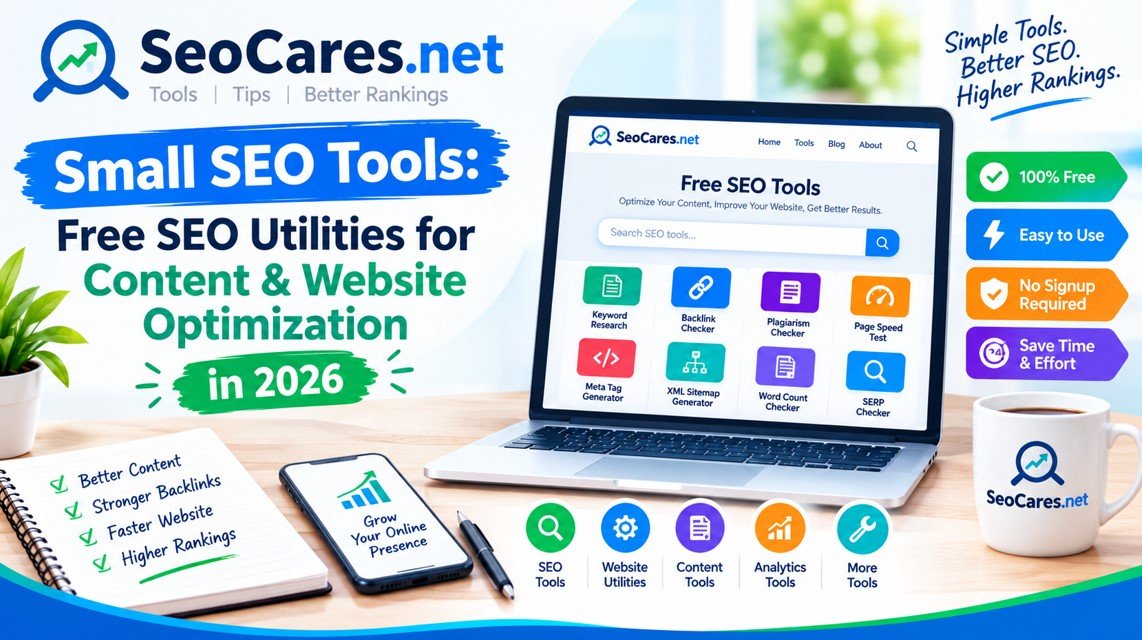
Small SEO Tools is a free online platform offering a collection of writing, SEO, and web-utility tools. There’s no software to download and no account required for most features. You simply visit the page, paste your content or URL, and get instant results.
The site groups its tools into several categories:
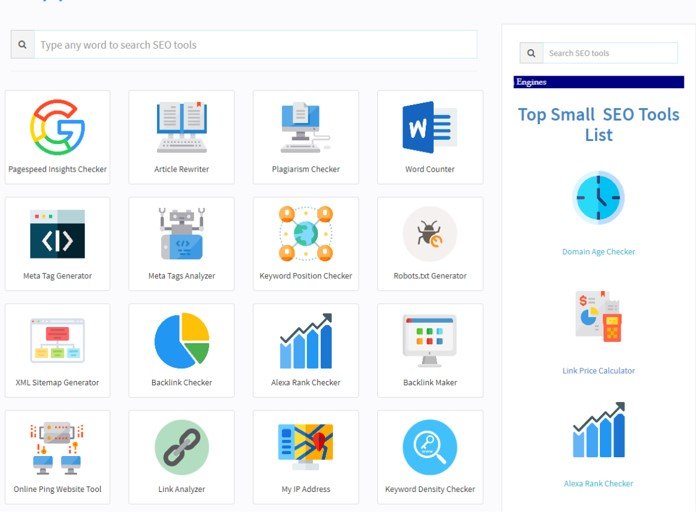
- Text and writing tools — plagiarism checker, grammar checker, paraphrasing tool, word counter
- SEO tools — backlink checker, keyword position checker, domain authority checker, meta tag generator
- Image tools — image compressor, background remover, reverse image search
- Website management tools — website speed test, broken link checker, XML sitemap generator
Because everything runs in the browser, the barrier to entry is low. That accessibility is the platform’s biggest strength — and, as you’ll see later, also its biggest limitation.
Most Popular Tools on the Platform
Plagiarism Checker
This tool scans submitted text against billions of indexed web pages. It highlights matching phrases and shows the percentage of unique content. Content writers and students rely on this feature most, since publishers and teachers often reject work with unoriginal passages.
Grammar Checker
The grammar checker flags spelling mistakes, punctuation errors, and awkward sentence structure. It won’t replace a professional editor, but it catches the obvious slips that spellcheck alone misses.
Word Counter
A simple utility that counts words, characters, sentences, and paragraphs in real time. Writers use it to hit exact word-count requirements for essays, articles, or product descriptions.
Backlink Checker
Enter any domain and the tool pulls a list of backlinks pointing to that site. It’s a fast way to spot-check a competitor’s link profile or confirm that your own outreach campaign is working.
Keyword Position Checker
This tool reports where a specific page ranks for a chosen keyword on Google. Small business owners without a rank-tracking subscription use this to monitor a handful of priority keywords by hand.
Paraphrasing Tool
This rewrites sentences while preserving the original meaning. It’s popular for reworking rough drafts, though the output usually needs a human editing pass to sound natural.
How Small SEO Tools Compares to Paid Alternatives
Free tools work well for occasional or single-task needs. Paid platforms make more sense for teams running SEO campaigns at scale. Here’s how the two approaches stack up.
| Feature | Small SEO Tools | Paid Platforms (Ahrefs, Semrush) |
| Cost | Free | $99–$500+ per month |
| Account required | No, for most tools | Yes |
| Daily usage limits | Yes, on some tools | Higher or unlimited |
| Backlink database size | Smaller | Much larger, updated frequently |
| Historical data tracking | Minimal | Extensive |
| Bulk/batch processing | Limited | Built-in |
| Customer support | Community-based | Dedicated support teams |
| Best for | Quick checks, students, small sites | Agencies, ongoing campaigns |
The takeaway: Small SEO Tools is not a replacement for a full SEO platform, but it’s an excellent stopgap for people who need answers today without a monthly bill.
Step-by-Step: Using the Plagiarism Checker
Here’s how to run a plagiarism scan correctly, since many users get inaccurate results by skipping the setup.
- Open the plagiarism checker page. Navigate to the tool from the homepage or search for it directly.
- Paste your text or upload a file. Most versions accept .docx, .txt, and .pdf uploads in addition to pasted text.
- Choose a scan mode if offered. Some versions let you pick between a fast scan and a deep scan.
- Click “Check Plagiarism.” The scan usually takes a few seconds to a couple of minutes, depending on text length.
- Review the highlighted matches. Matched phrases appear in a different color, with a source link for each one.
- Rewrite flagged sections. Use your own words rather than relying on the paraphrasing tool alone — search engines and instructors can often detect thin rewrites.
- Re-scan before finalizing. Run the check again after edits to confirm the uniqueness score improved.
Pros and Cons
Pros
- Completely free for the vast majority of tools
- No installation — everything runs in the browser
- Wide variety of tools under one roof, saving time switching between sites
- Beginner-friendly interface with minimal learning curve
- Fast results for quick, one-off checks
Cons
- Daily usage caps on some tools can interrupt heavy workflows
- Smaller data indexes compared to premium SEO platforms
- Ads on the page can slow down the experience
- Accuracy varies by tool — the paraphrasing tool, in particular, needs human review
- No dedicated support if something goes wrong
Who Should Use Small SEO Tools?
Not everyone needs the same level of SEO software. Here’s a quick breakdown by user type.
- Students — plagiarism and grammar checkers help before submitting assignments.
- Freelance writers — word counters and paraphrasing tools speed up drafting and editing.
- Small business owners — keyword and backlink checkers offer a low-cost way to monitor basic visibility.
- Bloggers just starting out — meta tag generators and readability checkers help build good habits early.
- Agencies managing multiple clients — better served by paid platforms with bulk reporting and historical tracking.
Tips for Getting Accurate Results
- Check word limits before pasting. Free tools often cap input length; splitting long documents into sections avoids truncated results.
- Cross-check important results. For high-stakes content, such as academic papers, run a second check on a different plagiarism tool.
- Avoid running the same query repeatedly. Some free tools throttle or block IPs that submit too many requests in a short window.
- Combine tools for better coverage. Use the grammar checker after the plagiarism checker, not before, so you’re not fixing text that gets flagged and rewritten again.
- Use a private or incognito window if you hit unexplained usage limits, since some limits are tied to browser cookies.
Frequently Asked Questions
1. Is Small SEO Tools completely free to use?
Yes, the core tools are free. Some advanced features may require creating a free account, and a few tools impose daily usage limits for non-registered users.
2. Does Small SEO Tools store the content I submit?
Most text-based tools process content temporarily for the scan and don’t publish it publicly. Still, avoid pasting confidential or unpublished work into any free online tool as a general safety practice.
3. How accurate is the plagiarism checker compared to Turnitin?
It’s generally less comprehensive than institutional tools like Turnitin, which access proprietary academic databases. Small SEO Tools is better suited for a quick pre-check before formal submission.
4. Can I use Small SEO Tools for professional SEO campaigns?
It works for spot-checks and small sites, but agencies managing multiple clients typically need the deeper data and automation found in paid platforms.
5. Is the paraphrasing tool good enough to publish content directly?
No. Paraphrased output should always go through a human editing pass to ensure it reads naturally and avoids awkward phrasing that search engines and readers can spot.
6. Do I need to create an account to use the tools?
Most tools work without registration. Creating a free account sometimes unlocks higher daily limits.
7. Are the results from the keyword position checker reliable?
Results are generally accurate for a snapshot check, though rankings can shift based on location, device, and search personalization, so treat the numbers as a general guide rather than an exact figure.
8. Is there a mobile app for Small SEO Tools?
The platform is primarily browser-based and works on mobile browsers, though there isn’t a dedicated native app for most versions of the site.
9. How does Small SEO Tools make money if everything is free?
Like most free web tools, the platform generates revenue through on-page advertising rather than charging users directly.
10. What’s the biggest limitation of using free SEO tools like this one?
The main limitation is scale. Free tools work well for individual checks but can’t match the depth, historical data, and automation that paid platforms offer for ongoing campaigns.
Conclusion
Small SEO Tools fills a real gap for anyone who needs a quick answer without committing to a paid subscription. Students get a plagiarism safety net, writers get instant word counts and grammar fixes, and small business owners get a basic pulse check on their SEO performance — all without spending a dollar.
The trade-off is depth. Once your needs grow past occasional checks — think ongoing rank tracking, large-scale backlink audits, or team collaboration — a paid platform becomes worth the investment. Until then, Small SEO Tools remains one of the most practical starting points for anyone getting comfortable with SEO basics.