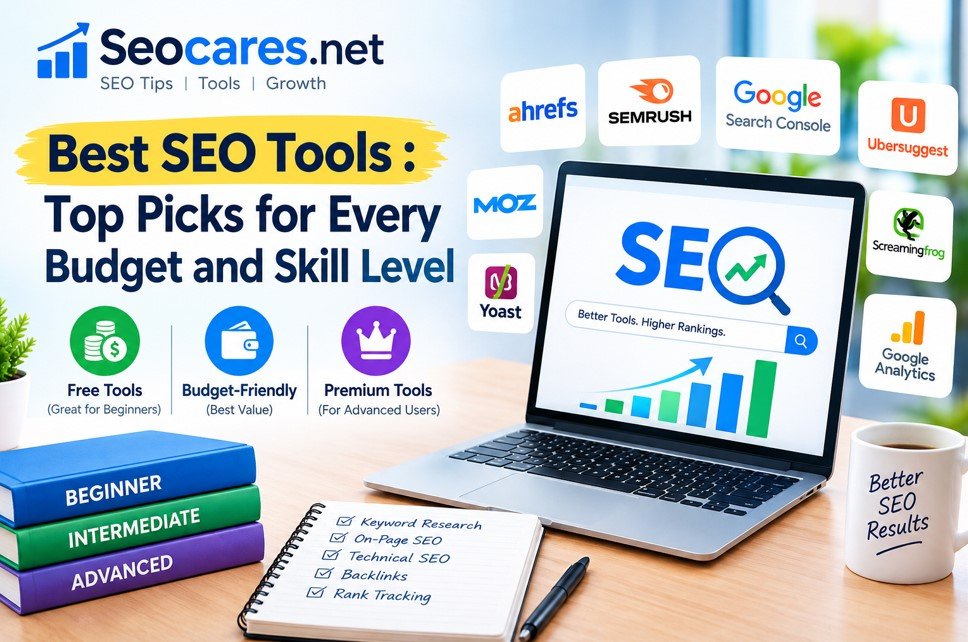
Finding the right SEO tool can feel like searching for a needle in a haystack. There are dozens of options out there, and each one claims to be “the best.”
The truth is simpler than the marketing hype suggests. The best SEO tool for you depends on your budget, your goals, and how much SEO experience you already have. A solo blogger doesn’t need the same toolkit as a marketing agency managing fifty client sites.
This guide breaks down the top SEO tools of 2026, based on real features, honest pricing, and practical use cases. Whether you’re just starting out or you’re a seasoned marketer looking to switch platforms, you’ll find a tool that fits.
What Makes a Great SEO Tool
Before jumping into recommendations, it helps to know what separates a great SEO tool from an average one. Not every platform excels at every task, so understanding the core categories makes comparison shopping much easier.
Core Features to Look For
- Keyword research: Search volume, difficulty scores, and related keyword suggestions
- Backlink analysis: Tracking who links to your site and your competitors’ sites
- Site audits: Identifying technical issues like broken links, slow pages, and crawl errors
- Rank tracking: Monitoring where your pages sit in search results over time
- Content optimization: Suggestions to improve on-page SEO and readability
- Competitor analysis: Insight into what’s working for other sites in your niche
Most established tools cover several of these areas, but few do everything equally well. That’s why many professionals use more than one tool at once, pairing a strong keyword research platform with a dedicated backlink checker, for example.
Data Accuracy Matters More Than Feature Count
A tool packed with features is useless if its data is outdated or inaccurate. Look for platforms that update their index frequently, especially for backlink and ranking data, since search results shift daily.
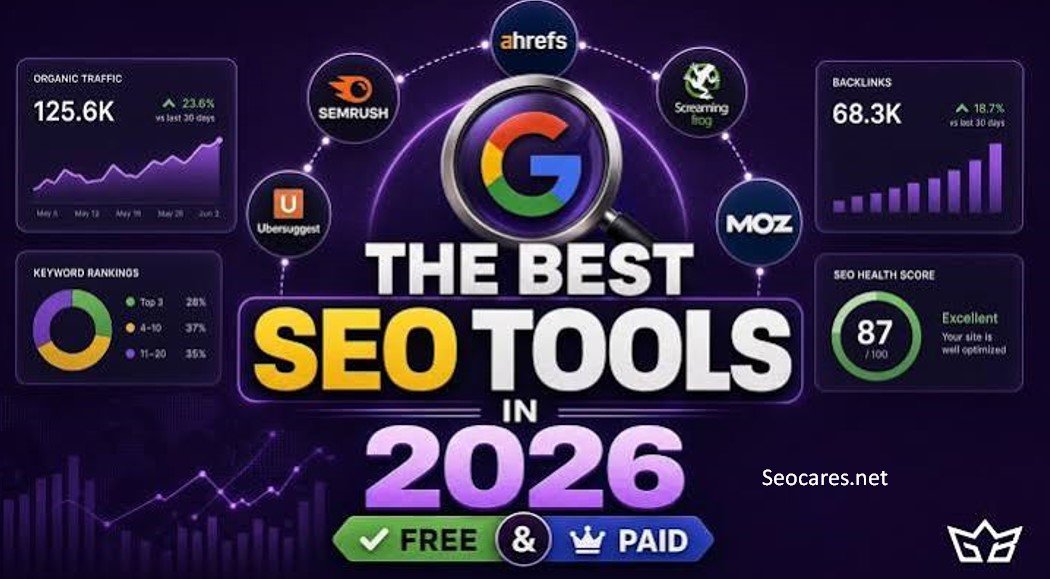
Best SEO Tools in 2026 (Full Breakdown)
1. Ahrefs
Ahrefs remains one of the most trusted names in SEO, largely thanks to its backlink database. The platform crawls the web constantly, refreshing its link index every 15 to 30 minutes for actively tracked sites, which makes it a favorite among link-building specialists.
Beyond backlinks, Ahrefs offers solid keyword research, a Site Explorer for competitor analysis, and a Content Gap tool that reveals keywords your competitors rank for that you don’t.
Best for: Freelancers and SEO specialists who prioritize backlink data and organic research over an all-in-one marketing suite.
Pricing: Plans typically start around $99 to $129 per month for the entry-level Lite tier, scaling up through Standard and Advanced tiers based on usage credits.
2. Semrush
Semrush has grown into a full digital marketing suite rather than a pure SEO tool. Alongside keyword research and site audits, it includes PPC campaign tracking, social media management, and content marketing tools.
In 2026, Semrush expanded its AI visibility tracking, letting users monitor how often their brand appears in AI-generated answers from tools like ChatGPT and Google’s AI features. This has become increasingly important as more searches shift toward conversational AI platforms.
Best for: Teams running SEO alongside paid advertising and social campaigns who want one dashboard for everything.
Pricing: Entry-level plans start around $130 to $140 per month, with higher tiers reaching $450 to $500 per month for agencies needing multiple users.
3. Google Search Console
Google Search Console is the only tool on this list built directly by the search engine you’re trying to rank on. It’s completely free and shows exactly how Google sees your site.
You’ll get data on which queries bring traffic, your average position for each keyword, mobile usability issues, and indexing errors. Because this data comes straight from Google, it’s the most accurate source available for understanding your actual search performance.
Best for: Every website owner, regardless of budget. This tool should be the foundation of any SEO strategy.
Pricing: Free.
4. Surfer SEO
Surfer SEO focuses specifically on content optimization. You enter a target keyword, and Surfer analyzes the top-ranking pages to suggest word count, headings, related terms, and content structure.
The tool’s content editor gives you a real-time score as you write, comparing your draft against top competitors. This makes it especially useful for content teams producing large volumes of articles who need consistent, data-backed guidance.
Best for: Content writers and marketing teams focused heavily on blog and article optimization.
Pricing: Plans generally start around $69 to $99 per month, with higher tiers unlocking more content audits and AI writing credits.
5. Screaming Frog SEO Spider
Screaming Frog is a desktop-based crawler that scans your website the way Google’s bots do. It flags broken links, duplicate content, missing meta tags, redirect chains, and other technical issues that can quietly hurt rankings.
Unlike cloud-based platforms, Screaming Frog runs locally on your computer, which some users prefer for speed and data privacy. The free version crawls up to 500 URLs, making it usable even for small sites without paying anything.
Best for: Technical SEO audits on sites of any size, especially for developers and technical marketers.
Pricing: Free for crawls under 500 URLs; paid license typically runs under $250 per year for unlimited crawling.
6. Moz Pro
Moz was one of the earliest companies to popularize SEO education, and its Domain Authority metric became an industry standard for measuring site credibility. While it hasn’t expanded as aggressively as Ahrefs or Semrush, Moz Pro still offers reliable keyword research, rank tracking, and site audits.
Moz is often praised for having one of the friendliest interfaces on the market, which makes it a solid choice for people newer to SEO.
Best for: Beginners who want a simpler learning curve without sacrificing core SEO functionality.
Pricing: Plans typically start around $39 to $50 per month for smaller sites.
7. Ubersuggest
Created by marketer Neil Patel, Ubersuggest is a budget-friendly option that covers the SEO basics: keyword research, site audits, backlink data, and content ideas. It won’t match the data depth of Ahrefs or Semrush, but for solo entrepreneurs and small business owners, it delivers solid value.
The tool also includes a Chrome extension that shows keyword data directly inside Google search results, which speeds up on-the-fly research.
Best for: Small business owners and solo bloggers who need essential SEO insights without a large budget.
Pricing: Plans start around $12 to $40 per month, with lifetime purchase options sometimes available.
8. Google Keyword Planner
Originally built for Google Ads, Keyword Planner still provides useful search volume data and keyword suggestions for organic SEO research. It’s not as feature-rich as dedicated SEO platforms, but the search volume estimates come directly from Google’s own data.
Best for: Beginners doing basic keyword research without a paid subscription.
Pricing: Free with a Google Ads account.
Comparison Table
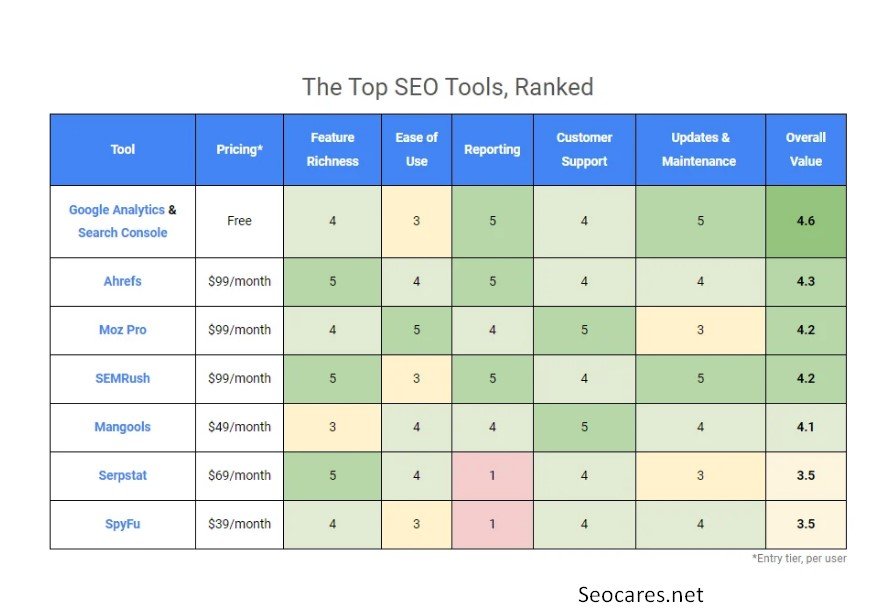
| Tool | Best For | Starting Price | Free Option |
| Ahrefs | Backlink analysis & research | ~$99–129/mo | No |
| Semrush | All-in-one marketing suite | ~$130–140/mo | 7-day trial |
| Google Search Console | Performance tracking | Free | Yes |
| Surfer SEO | Content optimization | ~$69–99/mo | No |
| Screaming Frog | Technical audits | Free (under 500 URLs) | Yes |
| Moz Pro | Beginner-friendly SEO | ~$39–50/mo | 30-day trial |
| Ubersuggest | Budget SEO basics | ~$12–40/mo | Limited free searches |
| Google Keyword Planner | Basic keyword research | Free | Yes |
Pros and Cons of Top SEO Tools
Ahrefs
Pros:
- Industry-leading backlink database
- Frequent index updates
- Strong competitor research features
Cons:
- Credit-based system can feel restrictive
- Steeper learning curve for beginners
- No free trial in most regions
Semrush
Pros:
- Covers SEO, PPC, and social in one platform
- Strong AI search visibility tracking
- Frequent feature updates
Cons:
- Interface can feel cluttered
- Higher cost if you only need core SEO features
- Some tools feel like add-ons rather than core functionality
Google Search Console
Pros:
- Completely free
- Direct data from Google
- Essential for indexing and mobile usability checks
Cons:
- No keyword research or competitor tools
- Data can lag by a few days
- Limited historical data compared to paid tools
How to Choose the Right SEO Tool

Picking a tool isn’t about finding the “best” one in a vacuum. It’s about matching a tool to your actual workflow. Consider these factors before subscribing to anything.
1. Define Your Primary Goal
If your main challenge is technical issues, prioritize a crawler like Screaming Frog. If you’re struggling to rank content, a tool like Surfer SEO will serve you better than a backlink-focused platform.
2. Match the Tool to Your Budget
Free tools like Google Search Console and Google Keyword Planner should always be part of your stack, regardless of what else you pay for. From there, add one paid tool that addresses your biggest gap rather than subscribing to three overlapping platforms.
3. Consider Your Team Size
Solo operators rarely need agency-level features like white-label reporting or multi-user seats. Paying for those features when you don’t need them wastes money that could go toward content or link building instead.
4. Test Before You Commit
Most premium tools offer free trials. Use that window to run real tasks, not just click around the dashboard. Try researching an actual keyword, auditing your real site, and checking a competitor you already know well. This tells you far more than a feature list ever will.
Frequently Asked Questions
1. What is the best free SEO tool?
Google Search Console is widely considered the best free SEO tool because it provides direct performance data from Google itself, including search queries, click-through rates, and indexing status.
2. Is Ahrefs or Semrush better for beginners?
Semrush tends to have a gentler learning curve for beginners due to its guided workflows and dashboards, while Ahrefs is often preferred by users who already understand SEO fundamentals and want deeper backlink data.
3. Do I need to pay for an SEO tool to rank on Google?
No. Many small sites rank well using only free tools like Google Search Console and Google Keyword Planner, paired with solid content and basic on-page optimization.
4. How much should a small business spend on SEO tools?
Most small businesses can get strong results spending between $30 and $130 per month on one core paid tool, combined with free Google tools for tracking performance.
5. What’s the difference between an SEO tool and a rank tracker?
A rank tracker only monitors keyword positions over time, while a full SEO tool typically includes rank tracking alongside keyword research, backlink analysis, and site audits.
6. Can I use multiple SEO tools together?
Yes, and many professionals do. A common combination is Ahrefs for backlink research paired with Surfer SEO for content optimization, since each tool specializes in a different task.
7. Which SEO tool has the best backlink database?
Ahrefs is generally recognized for having one of the largest and most frequently updated backlink indexes in the industry.
8. Are AI-powered SEO tools worth using in 2026?
AI-powered features, like content scoring and AI search visibility tracking, have become genuinely useful in 2026 as more search traffic shifts toward AI-generated answers, making these tools worth considering for content-heavy sites.
9. How often should I run a technical SEO audit?
Running a full technical audit every one to three months is typically enough for most sites, though larger or frequently updated sites may benefit from monthly checks.
10. What SEO tool is best for local businesses?
Local businesses often benefit most from Google Search Console combined with a budget tool like Ubersuggest, since local SEO relies heavily on accurate Google Business Profile data and basic keyword tracking rather than deep backlink analysis.
Conclusion
There’s no single “best” SEO tool that works for everyone. The right choice depends on what you’re trying to accomplish, how much you’re willing to spend, and how deep your SEO knowledge already runs.
Start with the free tools. Google Search Console and Google Keyword Planner cost nothing and cover the basics every site needs. From there, add one paid platform that fills your biggest gap, whether that’s backlink research, content optimization, or technical audits.
The tools listed in this guide represent the strongest options available in 2026, each tested against real-world use cases rather than marketing claims. Pick the one that matches your actual workflow, give it a real test run, and let the results guide your next decision.